
Apple just released iOS 26.2.1 this week, but iOS 26.3 is expected to launch soon too. When it does, it will introduce three new ways to customize the iPhone thanks to new settings and wallpaper options.
#1: Wallpapers
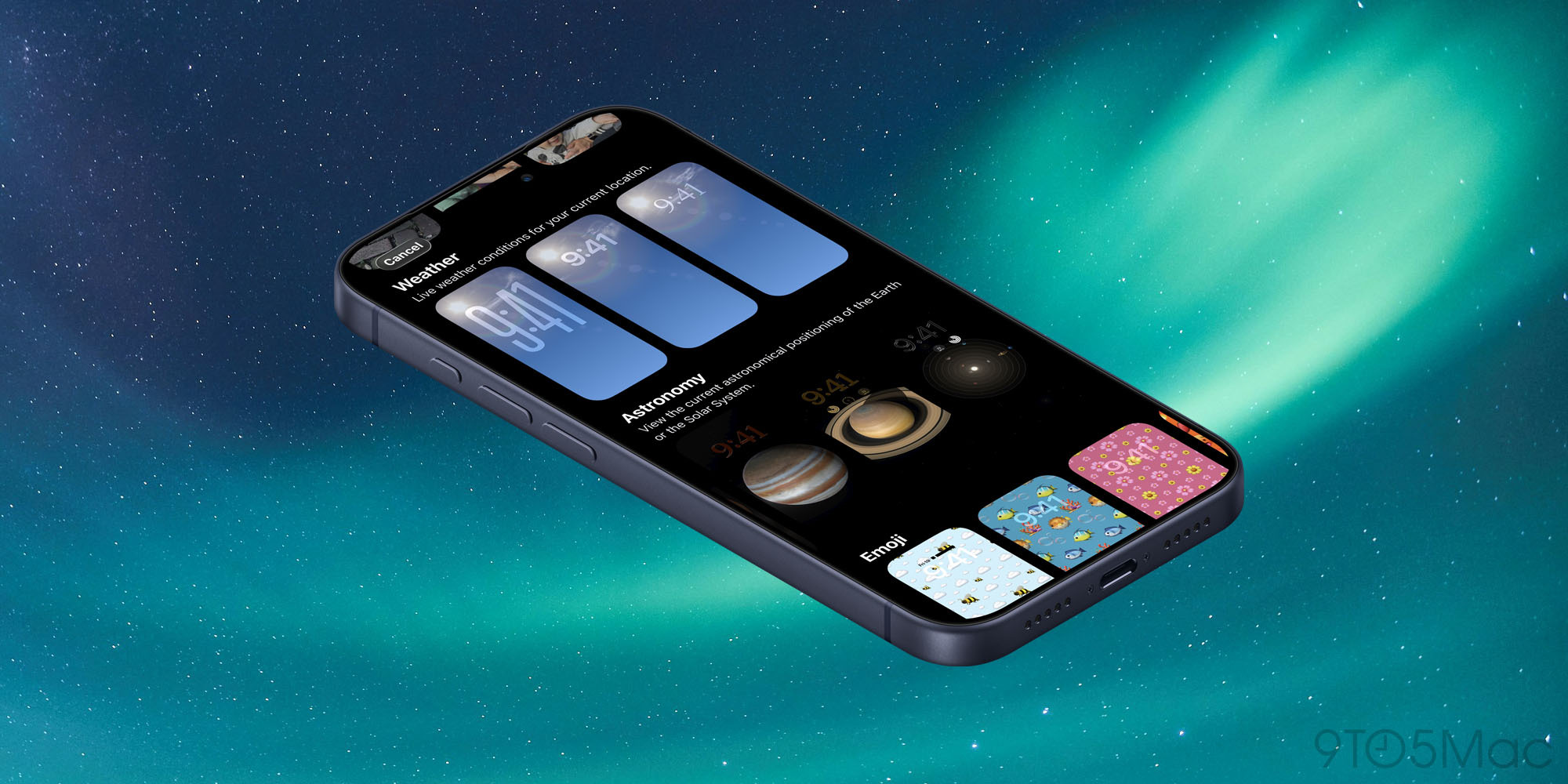
Apple doesn’t update wallpapers in iOS very often, but iOS 26.3 is expected to come with two noteworthy changes.
Available in the betas now, Apple has split the ‘Weather & Astronomy’ wallpaper section in two. Inside the wallpaper screen, you’ll now see separate rows for Weather as well as Astronomy. The Weather section has added two new wallpaper configurations.
Whichever Weather wallpaper you choose, you’ll get ‘Live weather conditions for your current location.’ But each option comes with different presets for widgets and font style.
When iOS 26.3 ships, Apple is also expected to add a new Black Unity wallpaper. This consistently happens in the x.3 update, but doesn’t appear until the official launch.
The wallpaper wasn’t mentioned in this week’s Black Unity watch band announcement. However, that’s likely just because iOS 26.3 will launch weeks later than previous x.3 updates have.
#2: Limit precise location

This week with iOS 26.3 beta 3, Apple introduced an interesting new setting for select iPhone models and carriers: ‘limit precise location.’
Here’s how it works, per Apple’s support document:
Cellular networks can determine your location based on which cell towers your device connects to. The limit precise location setting enhances your location privacy by reducing the precision of location data available to cellular networks.
With this setting turned on, some information made available to cellular networks is limited. As a result, they might be able to determine only a less precise location — for example, the neighborhood where your device is located, rather than a more precise location (such as a street address). The setting doesn’t impact signal quality or user experience.
The limit precise location setting doesn’t impact the precision of the location data that is shared with emergency responders during an emergency call.
It sounds like an excellent new feature for improving user privacy. Unfortunately, this first iteration will only impact a small base of users.
That’s because ‘limit precise location’ is exclusive to devices with an Apple-designed C1 or C1X cellular modem. Currently that list includes iPhone Air, iPhone 16e, and M5 iPad Pro. Additionally, only select carriers are supported at launch.
Every iPhone 18 model is expected to include an Apple-designed modem, and likely more carriers will support the feature by then. So expect the impact of this feature to increase drastically over time.
#3: Notification forwarding in the EU
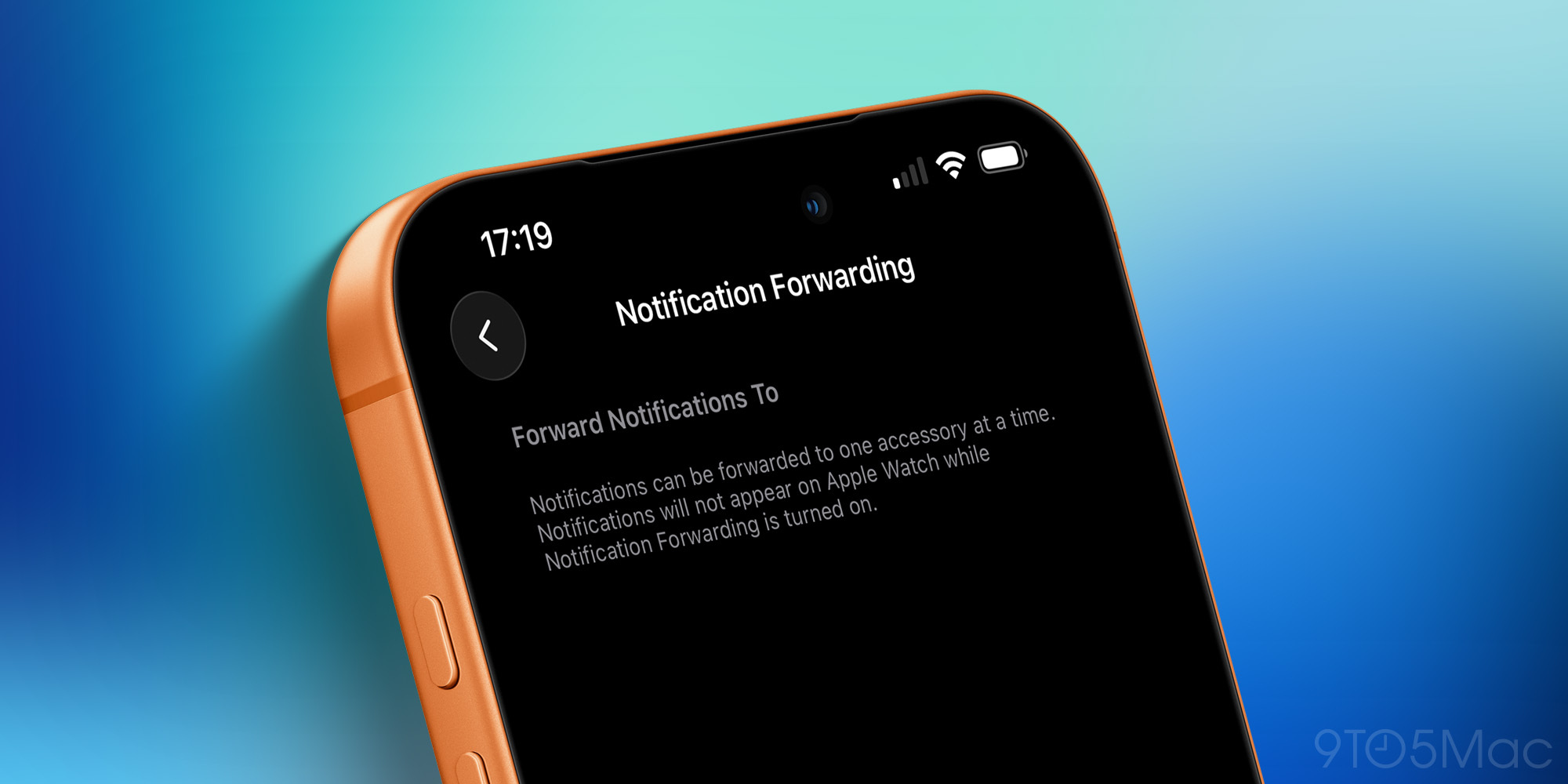
Finally, users in the EU will gain a variety of new iPhone features with iOS 26.3. One of those is a customization option that’s great for anyone without an Apple Watch.
Notification forwarding will live inside Settings ⇾ Notifications and enable users to forward iPhone notifications to a third-party smartwatch or other wearable.
Essentially, the feature replicates what the Apple Watch can do today. Due to legislation in the EU, Apple is being forced to open up this technology to third parties for EU users.
There is still a limitation of only one device being set up at a time for forwarding. So you can’t have notifications sent to both an Apple Watch and a Fitbit, for example. But users will at least be able to choose their preferred wearable as the recipient of iPhone notifications.
Which iOS 26.3 new features and settings are you most interested in? Let us know in the comments.
Best iPhone accessories
- AirPods Pro 3 (now only $199, down from $249)
- 10-year AirTag battery case 2-pack
- MagSafe Car Mount for iPhone
- HomeKit Garage Door Opener
- 100W USB-C fast charging power adapter


FTC: We use income earning auto affiliate links. More.



Comments